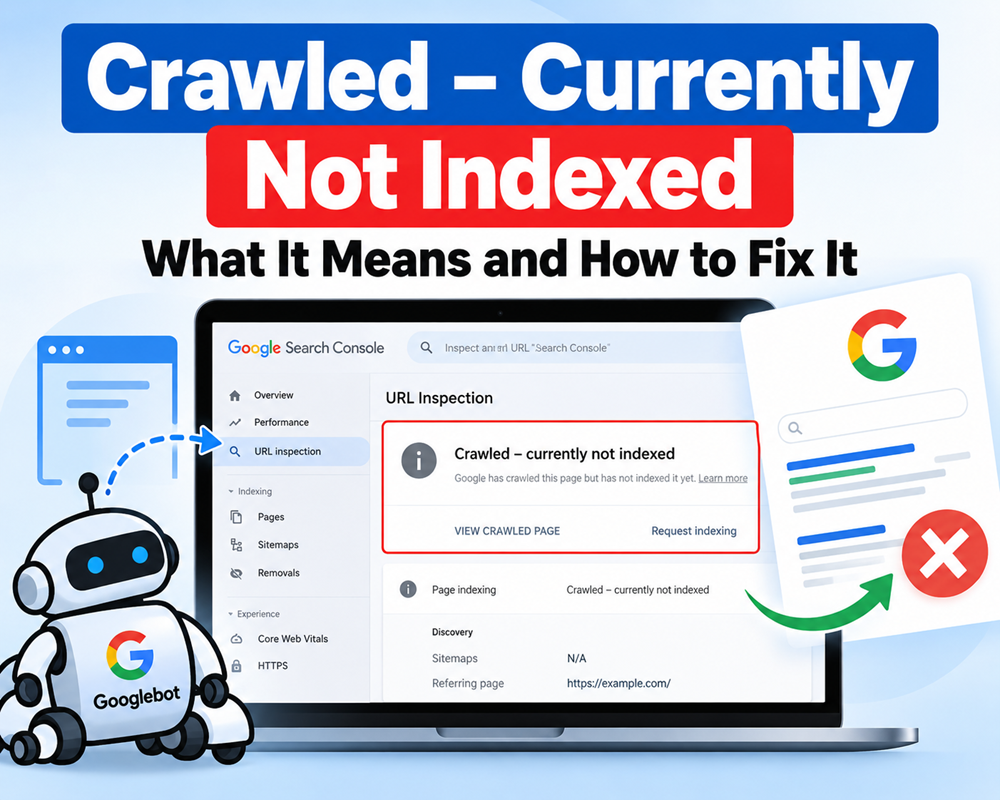



If you use Google Search Console regularly, you may have seen the status “Crawled – currently not indexed.” It can be confusing because Google has already visited the page, but the page still doesn’t appear in Google Search.
The good news is that this message does not necessarily mean there is a technical problem with your website.
What Does “Crawled – Currently Not Indexed” Mean?
It simply means that Googlebot has crawled your page, but Google has decided not to add it to its search index at this time.
In other words:
Google found the page → Crawled it → Evaluated it → Decided not to index it yet.
Google may index the page later after it re-evaluates the URL.
A common mistake is assuming that requesting indexing repeatedly will solve the problem. If Google has already crawled the page, repeatedly submitting the same URL usually isn’t the real solution.
Why Is a Page Crawled but Not Indexed?
There isn’t always one specific reason. Some common causes include:
1. Content Is Too Similar
If your page is very similar to another page on your website or elsewhere on the web, Google may decide that another URL is more useful to show in search results.
This is particularly common with:
- Similar blog posts
- Location pages
- Product variations
- Very similar service pages
- Automatically generated pages
Google uses canonicalization to determine which version of similar content should be represented in search.
2. The Page Doesn’t Add Enough Unique Value
A page can be technically perfect and still not get indexed.
For example, an article that simply repeats information already available on hundreds of websites may not give Google a strong reason to include another copy in its index.
Try asking:
“What does my page provide that the existing search results don’t?”
Add original examples, practical tips, first-hand insights, comparisons, screenshots, data, or a clearer explanation.
3. Weak Internal Linking
If important pages are difficult to reach from other pages on your website, Google may have less context about their importance.
Add relevant internal links from established pages to the page you want indexed.
Use descriptive anchor text rather than generic links such as “click here.”
4. Canonical Problems
Check the Google-selected canonical URL in Search Console.
Your page may contain a canonical tag pointing somewhere else, or Google may choose another URL as the canonical despite your preferred setting.
Remember that a canonical tag is a strong signal, but it is not an absolute instruction to Google.
5. Thin or Low-Value Content
Short content isn’t automatically bad, but pages with little useful information may struggle to earn a place in Google’s index.
Don’t focus on reaching a specific word count. Instead, make sure the page completely satisfies the search intent.
How to Fix “Crawled – Currently Not Indexed”
Follow these steps before requesting indexing again.
Step 1: Inspect the URL
Open Google Search Console → URL Inspection and check:
- Indexing status
- Google-selected canonical
- User-declared canonical
- Crawling information
- Any indexing restrictions
This tells you whether the problem is primarily technical or content-related.
Step 2: Improve the Content
Don’t just add more words.
Make the page more useful by adding:
- Original information
- Real examples
- Updated statistics or facts
- Screenshots where useful
- FAQs
- Expert insights
- Better explanations
- Information that competitors don’t cover
The goal is to make the page worth indexing—not simply longer.
Step 3: Check the Canonical Tag
For a page that should be indexed, make sure the canonical points to the correct URL.
For example:
<link rel="canonical" href="https://example.com/example-page/" />Also make sure your internal links and sitemap consistently use the preferred URL. Google recommends using consistent canonical signals rather than sending conflicting signals.
Step 4: Add Internal Links
Find relevant pages that already receive traffic or are indexed by Google.
Add natural links from those pages to your affected URL.
This can help Google understand the page’s relationship with the rest of your website.
Step 5: Check Your Sitemap
Make sure the URL is included in your XML sitemap if it is a page you want indexed.
Your sitemap should contain the preferred, canonical URLs, not duplicate or unnecessary versions.
However, remember that a sitemap is a signal—not a guarantee that Google will index every URL included in it.
Step 6: Check Robots.txt and Noindex
Make sure you haven’t accidentally blocked the page.
Check:
robots.txtnoindexmeta tagX-Robots-Tag- Login restrictions
- Server responses
A page that should appear in Google should generally be accessible to Googlebot and shouldn’t contain an accidental noindex directive.
Step 7: Request Indexing
After fixing the actual issue, use URL Inspection → Request Indexing.
Don’t keep requesting indexing every day. Give Google time to recrawl and evaluate the changes.
Google specifically notes that indexing and re-evaluation can take time.
Should You Be Worried?
Not always.
Having a few URLs under “Crawled – currently not indexed” is normal. Google doesn’t promise that every crawled URL will be included in its search index.
The bigger concern is when a large percentage of your important pages remain unindexed.
If that happens, look beyond individual URLs and review your overall website:
- Content quality
- Duplicate pages
- Internal linking
- Technical SEO
- Canonicalization
- Site architecture
- Crawl efficiency
- Overall usefulness of the site
Google explains that crawling a page does not automatically mean that the page will be indexed; Google evaluates pages after crawling and decides which URLs are appropriate for its index.
Final Takeaway
“Crawled – currently not indexed” doesn’t mean Google cannot access your page. It means Google accessed it but hasn’t chosen to include it in the index yet.
Instead of repeatedly clicking Request Indexing, focus on the reason Google may not consider the page valuable enough.
Improve the content, remove unnecessary duplication, strengthen internal links, verify canonical settings, check technical restrictions, and then request indexing again.
The goal isn’t to convince Google to index a URL. The goal is to make the URL worth indexing.



Leave a Reply