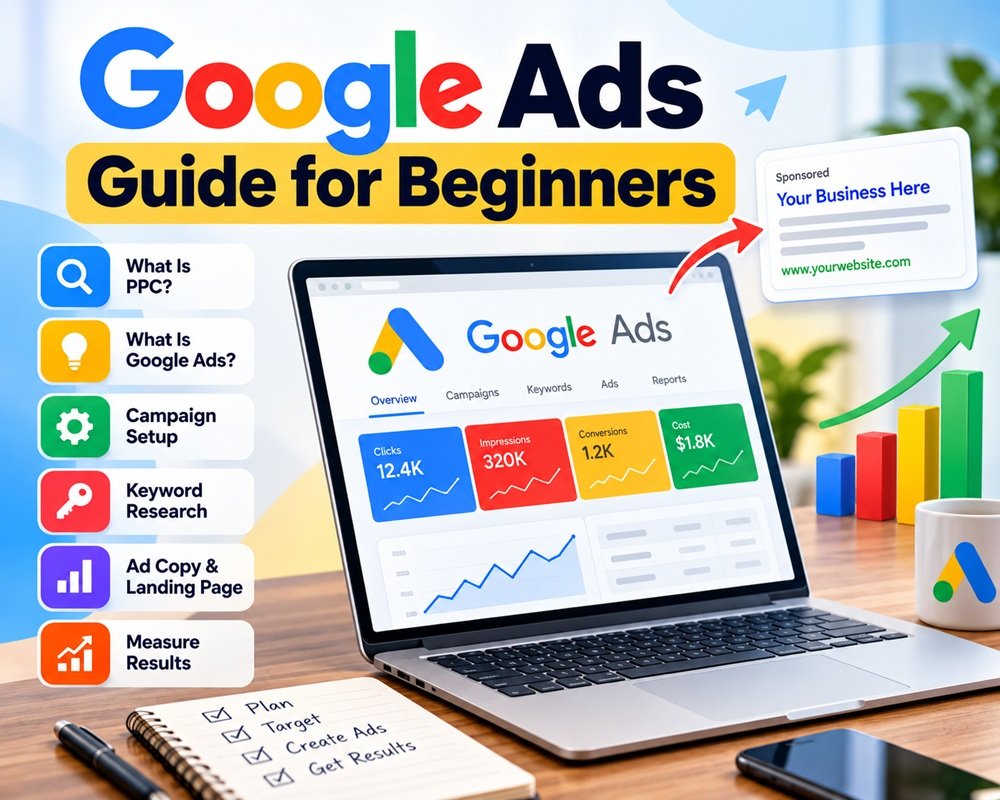



If you have a business website and want to reach potential customers quickly, Google Ads can be one of the most effective ways to get targeted traffic. Unlike SEO, where results can take time, paid advertising can put your business in front of people who are actively searching for your products or services.
But starting with Google Ads without understanding the basics can also waste your budget.
This beginner’s guide explains what PPC is, how Google Ads works, how to set up a campaign, choose keywords, write ads, and measure results.
What Is PPC?
PPC stands for Pay-Per-Click.
It is an online advertising model where you generally pay when someone clicks on your advertisement. Search advertising is one of the most common forms of PPC.
For example, imagine you run a furniture store and someone searches:
“modern sofa set near me”
Your ad may appear among the sponsored results. If the person clicks your ad and visits your website, you may be charged for that click.
The actual cost depends on factors such as competition, keyword relevance, bidding, and the ad auction.
What Is Google Ads?
Google Ads is Google’s advertising platform that allows businesses to promote their products and services across Google’s advertising network.
Depending on your campaign, ads can appear on Google Search, YouTube, websites and apps, Maps, shopping results, and other Google properties.
For beginners, a Search campaign is often a good place to start when the goal is to reach people actively searching for a product or service.
For example:
User searches: “emergency plumber in Delhi”
Business ad: “24/7 Emergency Plumbing Service – Call Now”
The important advantage is search intent. You’re not simply showing an advertisement to everyone. You’re trying to reach people who are already looking for something related to your business.
How Does Google Ads Work?
Google Ads uses an advertising auction whenever an eligible ad opportunity becomes available.
The basic process looks like this:
Search query → Keyword matching → Ad auction → Ad Rank → Ad shown → Click → Landing page → Conversion
Your bid is only one part of the equation. Google also considers factors related to the quality and relevance of the ad experience when determining which ads can appear and where.
This is why simply increasing your bid doesn’t automatically guarantee better results.
Google Ads Campaign Types
Google currently offers several campaign types, including:
- Search – Text ads on Google Search
- Performance Max – Uses Google’s AI across multiple Google channels
- Display – Visual ads across websites and apps
- Video – Video advertising, including YouTube
- Shopping – Product-focused advertising
- Demand Gen – Ads across visual and feed-based Google surfaces
- App – Promotes mobile apps
The right campaign depends on your business goal.
For a beginner who wants leads or website sales from people actively searching, starting with a Search campaign can be a straightforward approach.
How to Set Up a Google Ads Campaign
The Google Ads interface can change over time, but the core setup process remains similar.
1. Create a Google Ads Account
Go to Google Ads and create or sign in to your advertising account.
You’ll need basic business information and billing details before you can run ads.
2. Choose Your Campaign Goal
Start by deciding what you actually want from your advertising.
Common goals include:
- Generate leads
- Increase website sales
- Get phone calls
- Drive website traffic
- Promote a local business
- Increase app installs
Don’t start with the question, “How much should I spend?”
Start with:
“What action do I want customers to take?”
Google uses your selected objective to guide campaign setup and recommendations.
3. Select the Campaign Type
For this example, choose Search.
Search campaigns allow you to create text ads that can appear when people search for relevant products or services.
4. Set Your Location and Target Audience
Choose where you want your ads to appear.
For example, a local business might target:
Gurugram + 30 km
An online business could target an entire country or multiple countries.
Be careful with location targeting. If you only serve customers in a specific area, there’s little reason to spend money showing ads outside your service area.
5. Set Your Daily Budget
Google Ads lets you set an average daily budget for your campaign.
Your budget should be based on your business goals, expected conversion value, and the cost of acquiring a customer—not simply on what competitors are spending. Google allows you to change your budget later.
If you’re new to PPC, starting with a controlled budget and learning from the data is usually better than spending aggressively from day one.
Keyword Research for Google Ads
Keywords tell Google what types of searches are relevant to your ads.
Suppose you sell SEO services.
Potential keywords could include:
- SEO services
- SEO agency
- SEO company
- affordable SEO services
- local SEO services
Google’s Keyword Planner can help generate keyword ideas and provide planning data.
But don’t simply add hundreds of keywords.
Focus on commercial intent.
For example:
“what is SEO”
is usually informational.
While:
“SEO agency near me”
shows much stronger buying intent.
That difference can have a major impact on PPC performance.
Understanding Keyword Match Types
Google Ads currently provides three main keyword match types:
Broad Match
Broad match gives Google more flexibility to match your keyword with relevant searches based on the meaning and intent of the search.
Example:
seo services
It can potentially reach a wider range of related searches.
Phrase Match
Phrase match provides more control while still allowing relevant variations.
Example:
"seo services"
Exact Match
Exact match gives you more control over which searches your keyword can match, although it isn’t limited to only the identical wording.
Example:
[seo services]
Google explains that match types can overlap, with phrase generally reaching more searches than exact, and broad potentially reaching more than phrase.
For beginners, it’s important to understand what each match type does rather than putting every keyword into every match type.
Don’t Forget Negative Keywords
Negative keywords are just as important as your normal keywords.
Suppose you sell paid SEO services. You probably don’t want to pay for clicks from people searching for:
- free SEO course
- SEO jobs
- SEO internship
- SEO tutorial
Adding appropriate negative keywords can help reduce irrelevant traffic and protect your advertising budget.
Create Relevant Ad Groups
Don’t put every keyword into one huge ad group.
Instead, organize closely related keywords together.
For example:
Campaign: SEO Services
- Ad Group 1: SEO Services
- Ad Group 2: Local SEO
- Ad Group 3: E-commerce SEO
Each ad group should have ads that closely match the keywords and the landing page.
Google recommends keeping campaign and ad-group structures relevant because stronger relevance between the search, ad and landing page can improve the user experience and campaign performance.
Write Your Google Ads
Your ad needs to answer a simple question:
Why should someone click your ad instead of another result?
A good Search ad can include:
- Relevant headlines
- Clear benefits
- Keywords related to the customer’s search
- A strong call to action
- Relevant ad assets
For example:
Headline:
Professional SEO Services
Headline:
Grow Your Organic Traffic
Description:
Improve rankings, increase qualified traffic and generate more leads with a practical SEO strategy.
Avoid making unrealistic claims such as “Guaranteed #1 Ranking.”
Your ad should make a clear promise that your website can actually deliver.
Create a Good Landing Page
Getting the click is only half the job.
When someone clicks your advertisement, the landing page should closely match what the ad promised.
If your ad says:
“Local SEO Services”
don’t send the visitor to your generic homepage if you have a dedicated Local SEO page.
A good landing page should have:
- A clear headline
- Relevant information
- Benefits
- Trust signals
- Strong call-to-action
- Easy navigation
- Fast loading speed
- Mobile-friendly design
A high-quality landing page can make a big difference in turning paid traffic into leads or customers.
Choose a Bidding Strategy
Google Ads provides different bidding approaches depending on what you want to achieve.
You may optimize toward:
- Clicks
- Conversions
- Conversion value
- Impressions
- Views or engagement, depending on campaign type
Google also offers automated bidding strategies that use signals and machine learning to help optimize toward your selected goal.
For a new campaign, don’t change bidding strategies every day. Give the campaign enough time and data to evaluate performance.
Set Up Conversion Tracking
This is one of the most important parts of Google Ads.
You need to know what happens after someone clicks your ad.
Depending on your business, a conversion could be:
- Online purchase
- Contact form submission
- Phone call
- Appointment
- Newsletter signup
- App installation
Without conversion tracking, you may know that you’re receiving clicks but not whether those clicks are generating business.
Google recommends setting up conversion tracking so you can measure the actions you actually care about and evaluate campaign performance.
Important Google Ads Metrics
Once your campaign starts running, don’t focus only on clicks.
Watch metrics such as:
Impressions: How often your ads were shown.
Clicks: How many people clicked your ads.
CTR: The percentage of impressions that resulted in clicks.
CPC: Average cost per click.
Conversions: Valuable actions completed by users.
Conversion Rate: Percentage of clicks that resulted in conversions.
Cost Per Conversion: How much you’re paying, on average, to generate a conversion.
For businesses, the final question is usually not:
“How many clicks did I get?”
It’s:
“How much business did those clicks generate?”
Common Google Ads Mistakes Beginners Make
1. Using Too Many Keywords
More keywords don’t necessarily mean better results. Start with focused, relevant keywords.
2. Ignoring Search Terms
Regularly review the searches that triggered your ads. This helps you find useful keywords and irrelevant searches that may need to be excluded.
3. Sending Everyone to the Homepage
Use landing pages that match the user’s search and the ad message.
4. Not Tracking Conversions
Traffic without conversion data makes it difficult to know whether your advertising is working.
5. Changing Campaigns Too Frequently
Constantly changing budgets, keywords and bidding strategies makes it harder to understand what’s actually working.
6. Focusing Only on CPC
A cheap click isn’t necessarily a good click.
A $2 click that generates a customer can be more valuable than a $0.50 click that generates nothing.
Google Ads vs SEO
Google Ads and SEO are different, but they can work together.
SEO focuses on earning organic visibility in search results.
Google Ads provides paid visibility.
SEO can take time to build, while PPC can generate targeted traffic much faster. On the other hand, every PPC click comes with an advertising cost, while organic traffic doesn’t have a direct per-click advertising charge.
For many businesses, using both can create a stronger search marketing strategy.
Final Thoughts
Google Ads isn’t simply about paying to appear at the top of Google.
Successful PPC requires the right combination of keyword research, search intent, targeting, ad copy, landing pages, bidding and conversion tracking.
If you’re just starting, keep your first campaign focused. Choose one clear goal, target a specific audience, use relevant keywords, create useful ads and measure conversions.
Once you understand what is working, you can gradually expand your campaigns and budget.
Start small, measure everything, and optimize based on real data.
Leave a Reply