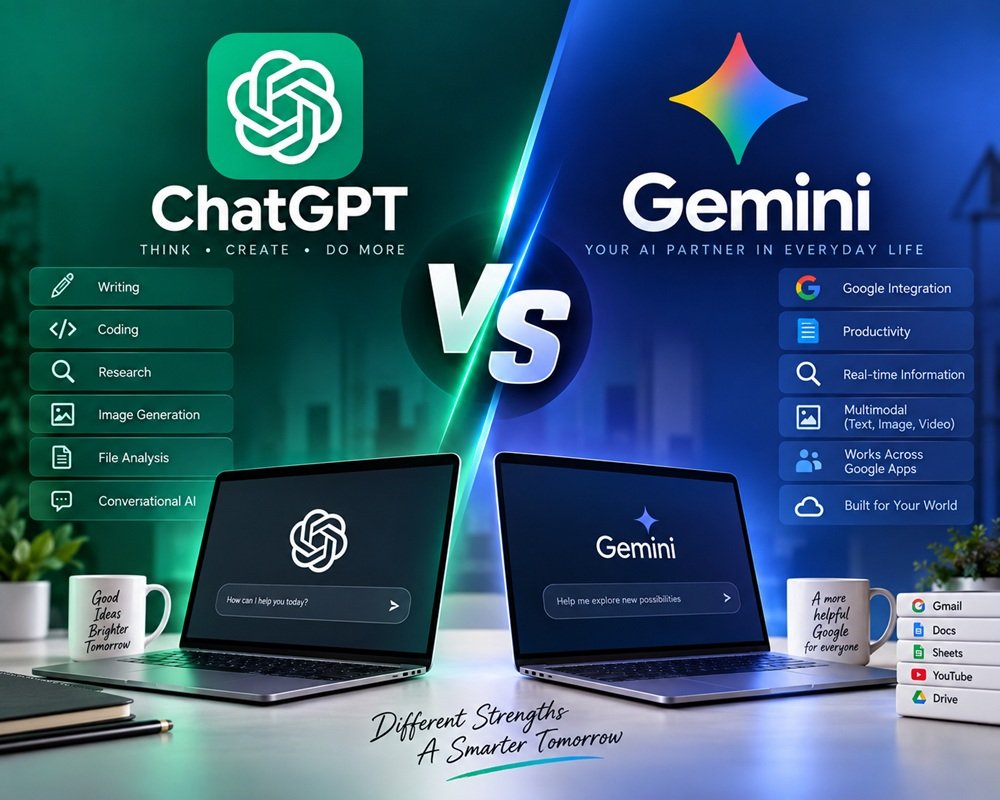



If you use AI regularly, there is a good chance you’ve already tried both ChatGPT and Gemini.
At first glance, they look remarkably similar. You type a question, upload a file, ask for an explanation, generate an image or get help writing something. But after using them for different kinds of work, the differences become more noticeable.
The interesting question in 2026 isn’t simply which AI is smarter?
It’s:
Which one fits the way you actually work?
ChatGPT and Gemini have taken somewhat different approaches. OpenAI has built ChatGPT into a broad AI work assistant with reasoning, research, coding, files, images and agent-style capabilities. Google, meanwhile, has a major advantage in connecting Gemini with Search, Gmail, Docs, Sheets and the wider Google ecosystem.
And that difference matters more than a benchmark score for many users.
Let’s compare them.
ChatGPT vs Gemini at a glance
| Feature | ChatGPT | Gemini |
|---|---|---|
| Developer | OpenAI | |
| Free version | Yes | Yes |
| Paid entry point | ChatGPT Go / Plus | Google AI Plus / Pro |
| Advanced reasoning | Yes | Yes |
| Deep research | Yes | Yes |
| Image generation | Yes | Yes |
| Image editing | Yes | Yes |
| File analysis | Yes | Yes |
| Coding | Excellent | Excellent |
| AI agents | Yes | Yes |
| Google Workspace integration | Available on eligible plans | Major strength |
| Google Search integration | Available through web/search features | Major strength |
| Video generation | Available through OpenAI products/plans | Strong Google ecosystem |
| Cloud storage bundle | No | Yes |
| Best for | General AI work, writing, coding, research | Google users, research, productivity and multimedia |
| Overall winner | Depends on your workflow | Depends on your workflow |
The feature sets change frequently, so this table should be treated as a snapshot rather than a permanent specification.
ChatGPT vs Gemini: The biggest difference
The simplest way to explain the difference is this:
ChatGPT feels like an AI workspace.
Gemini feels like AI built into Google’s ecosystem.
That’s obviously an oversimplification, but it is useful.
If you want to sit down and work with an AI on writing, coding, analysis, brainstorming, research or complicated tasks, ChatGPT is extremely versatile.
If your digital life already revolves around Gmail, Google Drive, Docs, Sheets, Google Search and other Google services, Gemini becomes much more interesting.
Google has been pushing Gemini toward increasingly agentic workflows. Its Gemini 3.5 models are designed for tasks involving reasoning and action, while Google’s paid plans increasingly connect Gemini with its productivity and creative products.
OpenAI is moving in a similar direction. GPT-5.6 is designed for broader knowledge work, coding, research, computer use and complex multi-step tasks, with higher reasoning levels available on eligible paid plans.
So neither company is standing still.
1. ChatGPT vs Gemini for writing
This is probably the first thing most people compare.
Both can write emails, blog posts, social media captions, reports, product descriptions and other forms of content.
But there is a subtle difference in how they tend to approach writing.
ChatGPT is particularly comfortable with iterative writing.
You can start with:
“Write a 1,500-word article about AI tools.”
Then continue:
“Make it less formal.”
Then:
“Remove the generic introduction.”
Then:
“Make the examples more practical.”
Then:
“Rewrite this section for a US audience.”
That back-and-forth workflow is one of ChatGPT’s strengths.
Gemini is also capable of this, and its integration with Google Docs can be particularly convenient if the final document already lives inside Google’s ecosystem. Google says Gemini can help draft and refine documents directly in Docs and assist with writing in Gmail and other Google applications.
My pick for writing: ChatGPT
Especially if you’re developing an article through several rounds of editing.
But if your work already happens primarily in Google Docs and Gmail, Gemini becomes a very strong alternative.
2. Which is better for research?
This one is closer.
Both platforms offer research-oriented features designed to go beyond a simple chatbot answer.
ChatGPT offers Deep Research on eligible plans, while Google includes Deep Research in its AI plans. Google describes Gemini Deep Research as a tool that can browse and analyze large numbers of websites and produce a research report.
The important thing here is that AI research still needs verification.
A beautifully written report isn’t automatically a reliable report.
For serious research, I would use either system to:
- Find relevant information.
- Organize the material.
- Identify important sources.
- Compare conflicting claims.
- Then verify important facts yourself.
Winner: Tie
For casual research, either is more than capable.
For research involving Google Search and the wider Google ecosystem, Gemini has a particularly interesting advantage.
3. ChatGPT vs Gemini for coding
Both are now serious coding assistants.
ChatGPT can help developers write code, understand unfamiliar code, debug errors, design applications and work through larger development tasks.
OpenAI’s latest GPT-5.6 family is explicitly positioned for coding and end-to-end knowledge work, and OpenAI is also integrating its models with Codex for software-development workflows.
Google is pushing hard here too.
Its Gemini ecosystem includes AI Studio, Jules and Google Antigravity, with higher limits available through Google AI plans. Google describes Antigravity as an agentic development platform, while Jules is designed around coding tasks.
For someone who simply wants help writing a Python script, either can work very well.
For developers building larger applications, the choice may come down more to the surrounding development tools than the chatbot itself.
Winner: Very close
I’d give ChatGPT a slight edge for general-purpose coding assistance, but Gemini is becoming increasingly compelling for developers already invested in Google’s development ecosystem.
4. File and document analysis
This is another area where both have become much more capable.
You can upload documents, spreadsheets and other files and ask questions about their contents.
Typical uses include:
- Summarizing reports
- Extracting information
- Comparing documents
- Analyzing spreadsheets
- Finding patterns
- Explaining complicated material
- Creating reports from uploaded information
ChatGPT has built file analysis and advanced data analysis into its paid plans, while Google’s AI plans provide expanded file access and integrate Gemini into Google Drive and Workspace workflows.
If you’re already storing everything in Google Drive, Gemini’s integration is obviously convenient.
If you’re working with files from many different sources, ChatGPT’s general-purpose workflow can feel more natural.
Winner: Depends on where your files live
Google Drive-heavy user?
Gemini.
Mixed files and general analysis?
ChatGPT.
5. Image generation
AI image generation has become much more than writing a prompt and getting a picture.
Modern AI systems can create, edit and transform images.
You can ask for things such as:
- Product images
- Social media graphics
- Illustrations
- Marketing concepts
- Background changes
- Image variations
- Creative compositions
Gemini has increasingly integrated image generation and editing into its wider AI ecosystem, while ChatGPT also offers image generation as part of its broader toolset. Google’s current AI plans specifically advertise image-generation and editing capabilities through its Gemini ecosystem.
For someone who wants AI to be part of a broader creative workflow, both are worth trying.
Winner: Too close to call
The better choice depends heavily on the specific image task and the current model available to you.
6. Video generation
This is where Google’s ecosystem becomes particularly interesting.
Google’s paid AI plans provide access to video-generation capabilities through products such as Gemini and Google Flow, with higher access levels on higher plans.
OpenAI also has a strong video-generation ecosystem through its Sora products.
If your primary goal is creating AI video, however, I wouldn’t choose between ChatGPT and Gemini based solely on the chatbot interface.
Look at:
- Video quality
- Generation limits
- Resolution
- Audio
- Editing capabilities
- Commercial usage terms
- Credits
- Available models
These can change much faster than the underlying chatbot comparison.
Winner: Gemini for the broader Google creative bundle
But this category is changing so quickly that it deserves a separate comparison.
7. AI agents
This could eventually become the most important category.
A chatbot answers your question.
An AI agent can potentially perform a sequence of tasks.
For example:
“Research these competitors, compare their prices, prepare a report and organize the results.”
Both OpenAI and Google are moving toward this type of AI.
OpenAI’s GPT-5.6 supports complex tool-based workflows and programmatic tool use, while Google’s Gemini 3.5 is explicitly being developed around agentic tasks. Google also describes Gemini Spark as a personal AI agent capable of monitoring, tracking and executing tasks under user direction in supported markets.
This is one area where the competition is likely to get much more interesting over the next couple of years.
Winner: No clear winner yet
Both are moving rapidly.
8. ChatGPT vs Gemini for Google users
This is where Gemini has an obvious advantage.
Imagine your working day looks like this:
Gmail → Google Docs → Google Sheets → Google Drive → Google Search → YouTube
Gemini is designed to fit into that environment.
Google’s current AI plans include Gemini features in Gmail, Docs, Sheets and other Google products, along with Drive storage and additional Google services.
That means you don’t always have to move information from one application into another.
For a Google Workspace-heavy user, that can save a lot of small steps.
Winner: Gemini
If Google is already the center of your workflow, this is probably the strongest argument for choosing Gemini.
9. ChatGPT for everyday users
ChatGPT’s biggest strength is flexibility.
You can use it as:
- A writing assistant
- Coding partner
- Research assistant
- Tutor
- Brainstorming partner
- Data analyst
- File analyst
- Image creator
- Planning assistant
- General-purpose AI workspace
OpenAI’s current paid plans provide access to a broader set of tools, including advanced reasoning, image generation, file uploads, data analysis and Deep Research, depending on the plan.
It doesn’t require you to be deeply invested in a particular software ecosystem.
That makes it a particularly good starting point for someone who simply wants one AI assistant that can do many different things.
10. Pricing: ChatGPT vs Gemini
Pricing deserves a little care because both companies now have multiple tiers, and features vary by country.
ChatGPT
OpenAI currently offers Free, Go, Plus, Pro and business-oriented plans.
ChatGPT Plus is $20 per month. OpenAI says Plus includes higher usage limits, faster responses, advanced reasoning access, voice, image generation, file uploads and Deep Research where available.
ChatGPT Go is a lower-cost plan designed to provide more access than Free. OpenAI says it is now available in all supported countries. In India, OpenAI originally launched Go at ₹399/month including GST; users should check the current checkout price because OpenAI can change pricing over time.
For professional users, ChatGPT Pro is considerably more expensive, while business plans provide workspace and administration features.
Gemini
Google’s current AI subscription lineup includes Google AI Plus, Google AI Pro and Google AI Ultra.
Google AI Pro is $19.99/month in the US and includes 5 TB of storage, expanded Gemini access, Deep Research, Gemini in Google apps, Google Flow and additional benefits.
Google AI Ultra is the high-end tier and is aimed at users who need much higher limits and advanced capabilities. Google has also introduced a $100/month Ultra tier in 2026 in addition to its higher-end offering.
One important point: Google bundles AI with storage and other services.
So comparing only the monthly subscription price isn’t completely fair.
ChatGPT vs Gemini: Pricing comparison
| Plan | ChatGPT | Gemini |
|---|---|---|
| Free | Free | Free |
| Lower-cost paid option | Go | AI Plus |
| Main individual plan | $20/month Plus | $19.99/month Pro |
| High-end plan | Pro | Ultra |
| Cloud storage included | No dedicated storage bundle | Yes |
| Google app integration | Limited/available through connectors on eligible plans | Excellent |
| Deep Research | Yes, plan dependent | Yes |
| Advanced reasoning | Yes, plan dependent | Yes |
| Image generation | Yes | Yes |
| Video generation | Available through OpenAI’s ecosystem | Strong Google ecosystem |
| Best value for Google users | Good | Excellent |
Google’s plans are especially interesting for people who already pay for cloud storage because the AI subscription combines storage and AI features.
Which is better for students?
For students, I wouldn’t automatically choose one.
Choose ChatGPT if you want:
- Help understanding difficult topics
- Writing assistance
- Coding help
- Brainstorming
- Step-by-step explanations
- General-purpose AI assistance
Choose Gemini if you use:
- Google Docs
- Google Drive
- Gmail
- Google Search
- NotebookLM
- Other Google education workflows
Gemini’s NotebookLM integration and Google ecosystem can be particularly useful for students working with large collections of notes and source material. Google’s current AI plans also include expanded NotebookLM access.
Student winner: Tie
Your existing workflow matters more than the brand.
Which is better for business?
This is where things get interesting.
For a small business owner who wants one general-purpose AI assistant, I’d lean toward ChatGPT.
For a company already heavily dependent on Google Workspace, I’d seriously consider Gemini.
Google’s AI plans bring Gemini directly into products such as Gmail, Docs and Sheets, while OpenAI’s business plans provide integrations with Google Workspace, Slack, GitHub and Microsoft 365 along with centralized administration and workspace agents.
So this isn’t simply:
ChatGPT vs Gemini
It’s more like:
Which AI ecosystem fits your business?
ChatGPT vs Gemini: My verdict
After looking at the features, pricing and direction of both platforms, I don’t think there is a single winner for everyone.
Here’s how I’d break it down.
Choose ChatGPT if you:
- Want a powerful all-purpose AI assistant
- Write frequently
- Code regularly
- Work with different types of files
- Want a strong conversational workflow
- Do research and analysis
- Want a broad collection of AI tools in one place
My pick: ChatGPT
Choose Gemini if you:
- Live inside Google Workspace
- Use Gmail and Google Docs every day
- Store lots of information in Google Drive
- Want AI integrated with Google Search
- Care about Google’s multimedia tools
- Want cloud storage bundled with your AI subscription
My pick: Gemini
And the winner is…
If you forced me to choose one AI assistant for a typical technology enthusiast in 2026, I’d give ChatGPT a slight overall edge.
Not because Gemini is weak.
Quite the opposite.
Gemini has become a very serious competitor, and Google’s ecosystem gives it an advantage that is difficult for any standalone AI assistant to reproduce.
But ChatGPT remains exceptionally flexible. You can move from writing to coding, research, file analysis, brainstorming and image generation without changing the way you work.
For me, that flexibility is the deciding factor.
Overall winner: ChatGPT — but only by a small margin.
For someone who spends most of the day inside Gmail, Google Docs, Drive and Sheets, I’d reverse that decision:
Gemini is probably the better choice.
And that’s perhaps the most useful conclusion from this comparison.
There is no universal “best AI.”
The best AI is the one that fits naturally into your work.



Leave a Reply