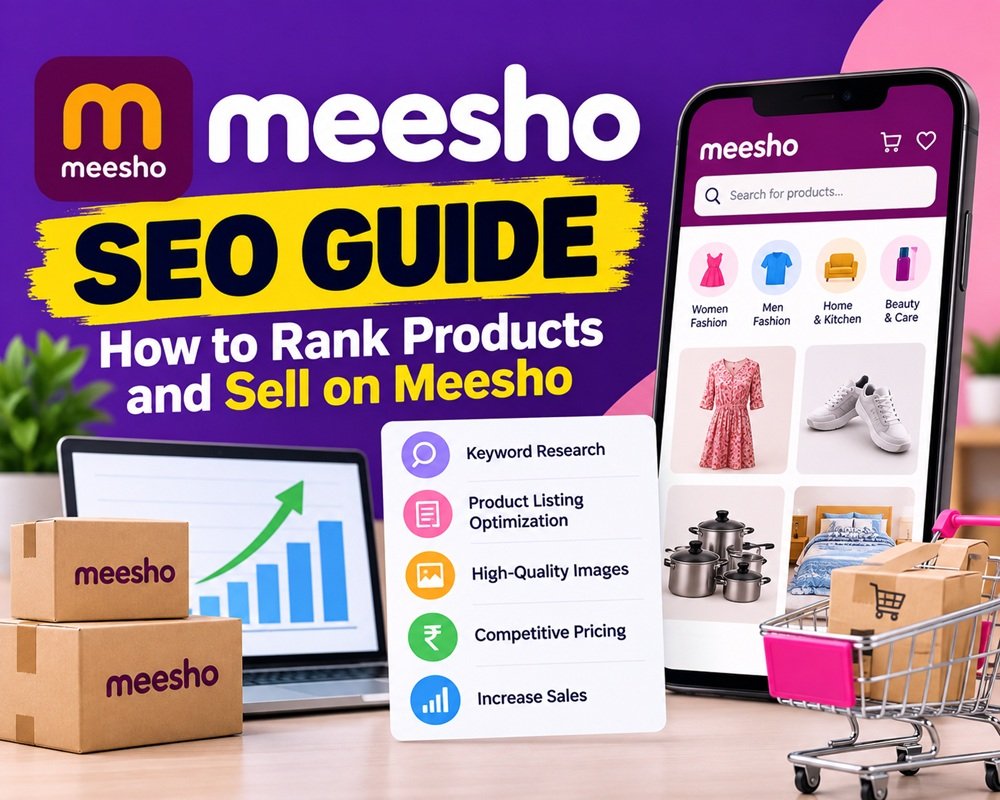



Meesho has become a popular marketplace for sellers who want to start an online business in India. From clothing and footwear to kitchen essentials and home decor, sellers can list products and reach customers across the country.
However, simply uploading products does not guarantee sales. Product visibility, pricing, images, descriptions, customer experience, and inventory management all play a role in attracting buyers.
This is where Meesho SEO becomes important. By optimizing your product listings and understanding customer demand, you can improve your chances of getting more views, clicks, and orders.
In this guide, we will explain how Meesho SEO works, how to optimize product listings, and how to start selling on Meesho.
What Is Meesho SEO?
Meesho SEO is the process of optimizing product listings to improve their visibility when customers search for products on the Meesho platform.
It involves researching relevant keywords, writing clear product titles and descriptions, uploading quality images, setting competitive prices, and maintaining good product quality.
Unlike traditional website SEO, where the goal is to rank pages on search engines such as Google, Meesho SEO focuses on helping shoppers discover your products within the marketplace.
How to Do Meesho SEO
1. Conduct Product Keyword Research
Keyword research is an important starting point for optimizing your Meesho listings. You need to understand what customers type when searching for products.
For example, if you sell women’s clothing, potential keywords might include:
- Women’s cotton kurti
- Printed kurti for women
- Anarkali kurti with dupatta
- Casual kurti for daily wear
You can identify keyword ideas by searching for products on Meesho and observing the autocomplete suggestions, product titles, and commonly used product attributes.
Focus on relevant keywords that accurately describe your product. Avoid adding unrelated search terms simply to attract more visitors.
2. Optimize Your Product Titles
Your product title should clearly explain what you are selling. Include the main product keyword along with important attributes such as material, color, design, size, or intended use.
Example:
Instead of: Beautiful Kurti for Women
Use: Women’s Printed Cotton Kurti for Daily Wear
The second title provides more information about the product and includes relevant search terms naturally.
Keep titles readable and accurate. Avoid keyword stuffing, unnecessary promotional language, and misleading product claims.
3. Write Clear Product Descriptions
A product description helps customers understand what they will receive before placing an order.
Include relevant information such as:
- Material or fabric
- Color and design
- Available sizes
- Product dimensions
- Package contents
- Care instructions
- Intended use or occasion
For example, a bedsheet listing should mention the fabric, dimensions, color, number of pieces included, and washing instructions.
Meesho’s seller guidance also recommends providing accurate product details and clear descriptions to help customers make informed purchasing decisions. Official seller guidance.
4. Upload High-Quality Product Images
Product images can influence whether a customer clicks on your listing and decides to buy.
Follow these practices when uploading product photos:
- Use clear, well-lit images.
- Show the product from multiple angles.
- Include close-up shots of important details.
- Use images that accurately represent the product’s color and appearance.
- Show size, fit, or dimensions where relevant.
- Avoid blurry images, misleading edits, and unnecessary text overlays.
For clothing, consider including front and back views, fabric details, and model images where permitted by Meesho’s image guidelines.
5. Set Competitive Prices
Price can affect both customer purchasing decisions and product performance. Compare similar products on Meesho before setting your selling price.
Check their materials, specifications, quantity, images, and customer feedback rather than comparing prices alone.
Calculate your price using all relevant expenses:
Selling price = Product cost + Packaging + Shipping-related costs + Applicable taxes and other charges + Profit margin
Check the current charges and settlement details in your Meesho Supplier Panel. Meesho advertises a zero-commission selling model, but sellers should still account for applicable shipping costs, taxes, returns, packaging, and other business expenses. Meesho seller information.
6. Choose the Right Product Category and Attributes
Always select the most relevant category when uploading a product. Fill in all applicable attributes, including size, color, material, pattern, brand, and other product-specific details.
Accurate categorization helps customers find products using relevant filters and reduces confusion about what is being sold.
Do not select a popular category or add an attribute that does not accurately describe your product.
7. Maintain Product Quality and Inventory
SEO does not end after a product listing goes live. You should regularly review how your products perform and identify issues that may affect customer satisfaction.
Pay attention to:
- Customer ratings and feedback
- Product return reasons
- Order cancellations
- Stock availability
- Product description accuracy
- Dispatch and delivery performance
Meesho provides seller tools, including a Quality Dashboard, to help suppliers understand catalog performance and identify opportunities for improvement. Explore Meesho’s seller growth tools.
8. Use Meesho Ads to Increase Visibility
Organic listing optimization and paid advertising serve different purposes. If eligible, sellers can use Meesho Ads to promote selected catalogs and gain additional exposure.
Start by choosing relevant products, setting a manageable budget, and monitoring clicks, orders, advertising spend, and return on ad spend.
Do not advertise every product automatically. Review product quality, pricing, stock availability, and margins before investing in campaigns.
Advertising can increase exposure, but it does not guarantee sales or profitability.
How to Sell Products on Meesho
If you want to start selling on Meesho, follow these steps.
Step 1: Register as a Meesho Seller
Visit the official Meesho Supplier website and begin the registration process.
You will generally need:
- An active mobile number and email address
- A bank account
- A GSTIN, where applicable, or an eligible Enrolment ID/UIN for sellers permitted to register without a GSTIN
- Your store name and pickup address
Registration requirements and eligibility can vary according to your seller status and applicable rules. Check the latest official instructions before registering.
Step 2: Select Your Products
Choose products based on customer demand, sourcing costs, competition, and your ability to maintain consistent quality.
Popular categories to research include:
- Women’s clothing and ethnic wear
- Men’s clothing
- Home and kitchen products
- Beauty and personal care
- Footwear and accessories
These are product research ideas, not a guarantee that a particular item will sell well. Use marketplace searches and the product recommendation tools available in your seller account to identify opportunities.
Step 3: Create Your Product Catalog
Log in to the Supplier Panel and upload your product catalog. You can add product information, images, prices, applicable tax details, and other required attributes.
Meesho supports individual and bulk catalog uploads. Its official seller guidance states that catalog activation can take time after submission, so check the current status in your account rather than assuming a listing is live immediately.
Step 4: Manage Orders and Shipping
Once your products receive orders, follow the instructions in the Supplier Panel to prepare, package, and dispatch them within the required timeframe.
Keep inventory updated and ensure the product matches the listing. Accurate stock management and timely dispatch help you manage your business more efficiently.
Step 5: Track Payments and Performance
Monitor your orders, returns, settlements, and business expenses through the Supplier Panel.
Meesho’s published seller information describes a seven-day payment cycle following order delivery, including Cash on Delivery orders. Confirm the applicable settlement details in your account.
Use the available performance data to identify which products generate orders, which listings need improvement, and where you may be losing money.
Common Meesho SEO Mistakes to Avoid
Avoid these mistakes when optimizing your listings:
- Keyword stuffing: Repeating the same keyword unnecessarily makes titles and descriptions harder to read.
- Poor product images: Blurry or misleading photos can reduce buyer confidence.
- Incorrect product information: Missing or inaccurate specifications can lead to customer complaints and returns.
- Uncompetitive pricing: Ignoring competitor prices and business costs can hurt sales or profit margins.
- Unmanaged inventory: Accepting orders for unavailable products creates operational problems.
- Ignoring customer feedback: Repeated complaints may indicate a product or listing issue that needs attention.
- Expecting instant results: Product visibility and sales can vary by category, demand, competition, pricing, and listing quality.
Final Thoughts
Meesho SEO is about making your products easier to discover and helping customers understand why a listing matches their needs. Start with relevant keywords, informative titles, accurate descriptions, quality images, and competitive pricing.
Once your listings are live, review their performance regularly. Improve products that receive attention but few orders, investigate return reasons, and use seller tools to identify new opportunities.
The key is to combine product listing optimization with reliable operations and customer satisfaction. This gives you a practical foundation for building and growing your Meesho business.



Leave a Reply